Microsoft has recently rolled out Windows Server 2025, bringing numerous additions and enhancements to this long-anticipated version. With the tech preview been around for some time, we have had the chance to test various features and see how they have evolved. For prospective users considering a purchase, it's important to note that this release is approximately 15% pricier than its predecessor.
Noteworthy Features in Windows Server 2025
One of the standout features included in WS 2025 is Winget, a native command-line Windows Package Manager tool that simplifies application installation similar to other package managers like Chocolatey.
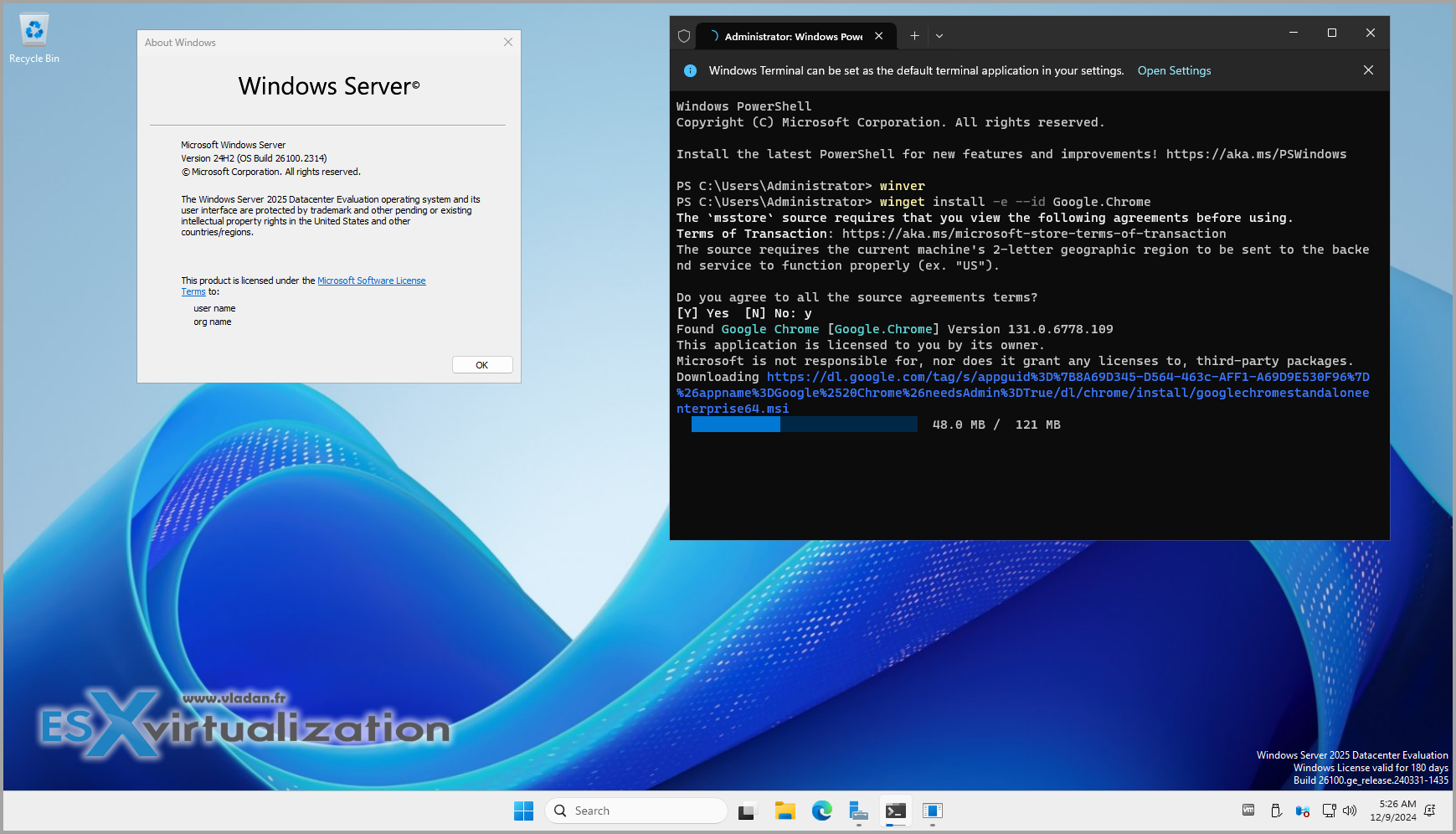
You can use Winget to install several applications simultaneously with the following syntax:
winget install <query1> <query2> …For example:
winget install Microsoft.WindowsTerminal Microsoft.PowerToys Microsoft.VisualStudioCodeAdditionally, for those who prefer Chocolatey, it remains a viable option for installing applications like Veeam Backup Agent by running:
choco install veeam-agentThe agent will then be accessible from the taskbar, allowing configuration of your backup job.
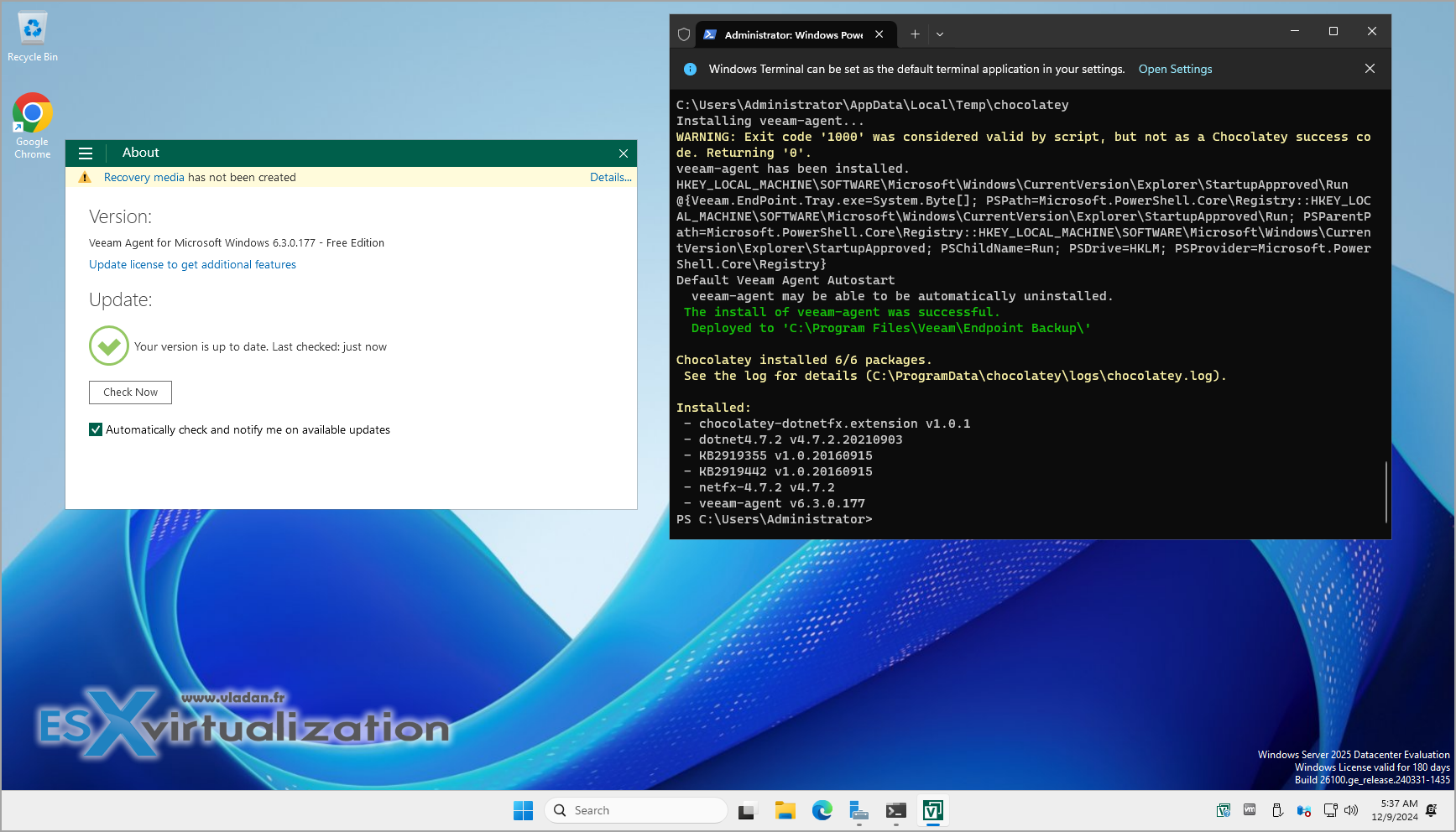
The WinGet tool accommodates a variety of installer types including EXE, ZIP, MSI, and more.
Default Wireless Capabilities
Windows Server 2025 also introduces the capability to use Wi-Fi by default. The Wireless LAN Service feature now comes installed, providing enhanced connectivity options. To start the wireless service, simply execute:
net start wlansvcThis allows connection to Bluetooth peripherals and audio devices without a hitch.
Compression Features
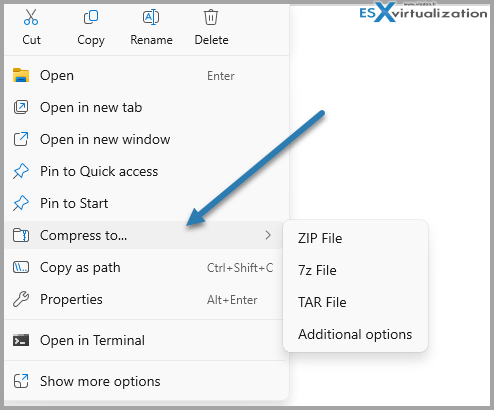
Compression has become more user-friendly, with a right-click option to compress files into formats such as ZIP, 7z, and TAR.
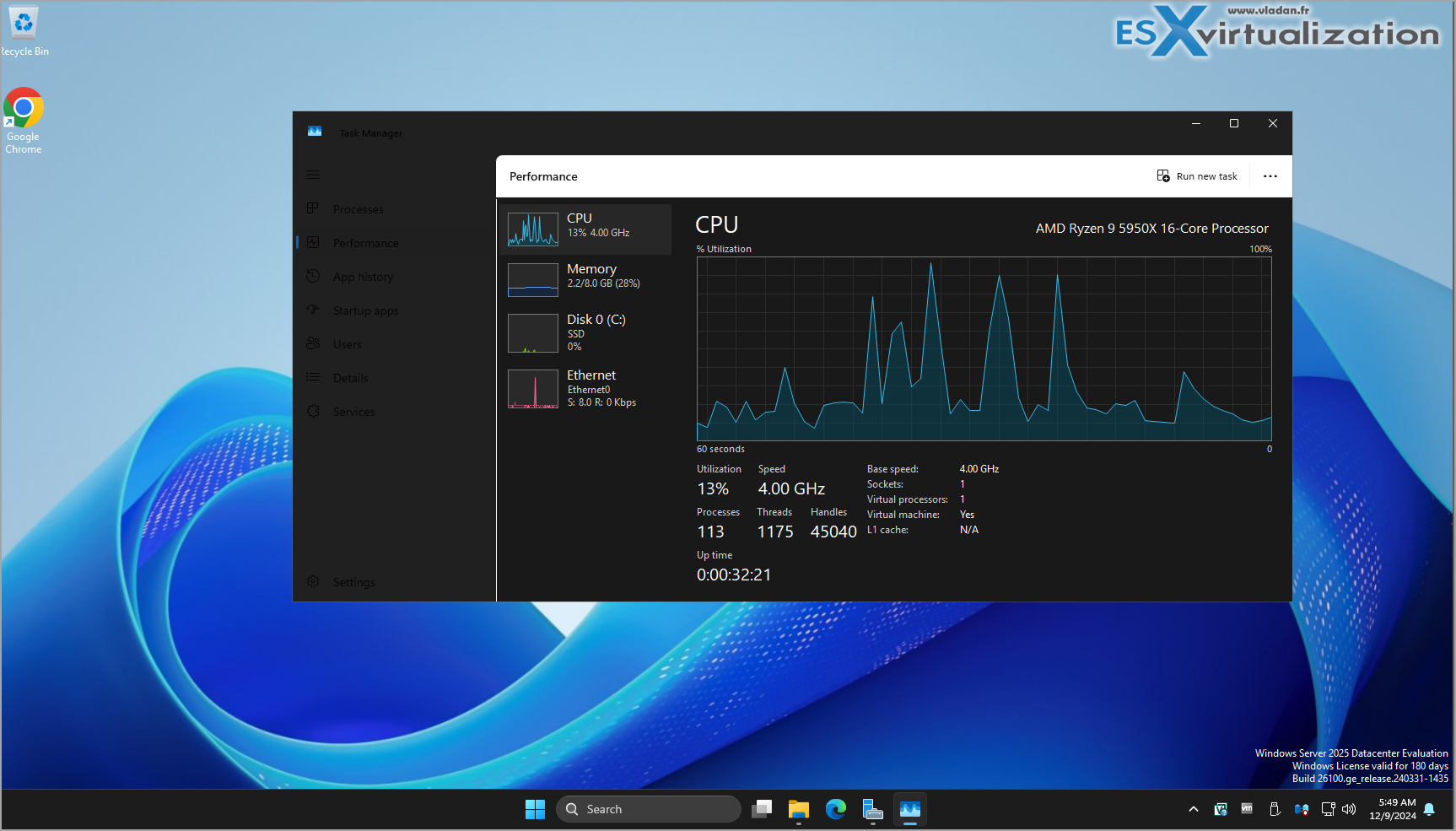
Updated Task Manager
The Task Manager has seen a facelift with a design similar to Windows 11, complete with a new dark mode.
Hotpatching Feature (In Preview)
In a notable preview feature, Hotpatching allows Windows Server 2025 machines connected to Azure Arc to apply OS security updates without requiring a restart. However, it's important to note that this feature is not available for isolated or local environments.
Upgraded Active Directory Services
The improvements to Active Directory (AD) Domain Services enhance the overall experience with increased support, better security, and more powerful database functionalities. The recent changes enable a transition to a more advanced 32K paging mechanism which expands the capacity for managing complex AD objects.
Final Thoughts
In summary, Windows Server 2025 delivers a significant update packed with features that benefit both administrators and end-users alike. Key improvements include new application support, advanced compression capabilities, a revamped Task Manager, and enhanced Active Directory functionalities. Other noteworthy enhancements include:
- SMB over QUIC, providing secure file access without the need for VPNs.
- Active Directory hotpatching for reduced downtime during security updates.
- Improved security measures, including AES-256 encryption for Kerberos tickets.
For further insights and detailed explorations of Windows Server 2025, you can check the following links:
- Microsoft Windows Server 2025 – What’s New recap
- Windows Server 2025 – Building my new Domain Controller
- Windows Server 2025 Azure Arc Taskbar Icon
- SMB over QUIC in Windows Server 2025 – What’s this?
Stay updated as more features are rolled out for Windows Server 2025!
Original source
3D Printing Canada/USA - Igniting innovation with superior 3D printers and exceptional service. Experience creativity unleashed with our dedicated support. Trust your visions to our expert team. At 3DPC, we bring your ideas to life!